Pixel Art Converter - Image, GIF and Video to Pixel Art
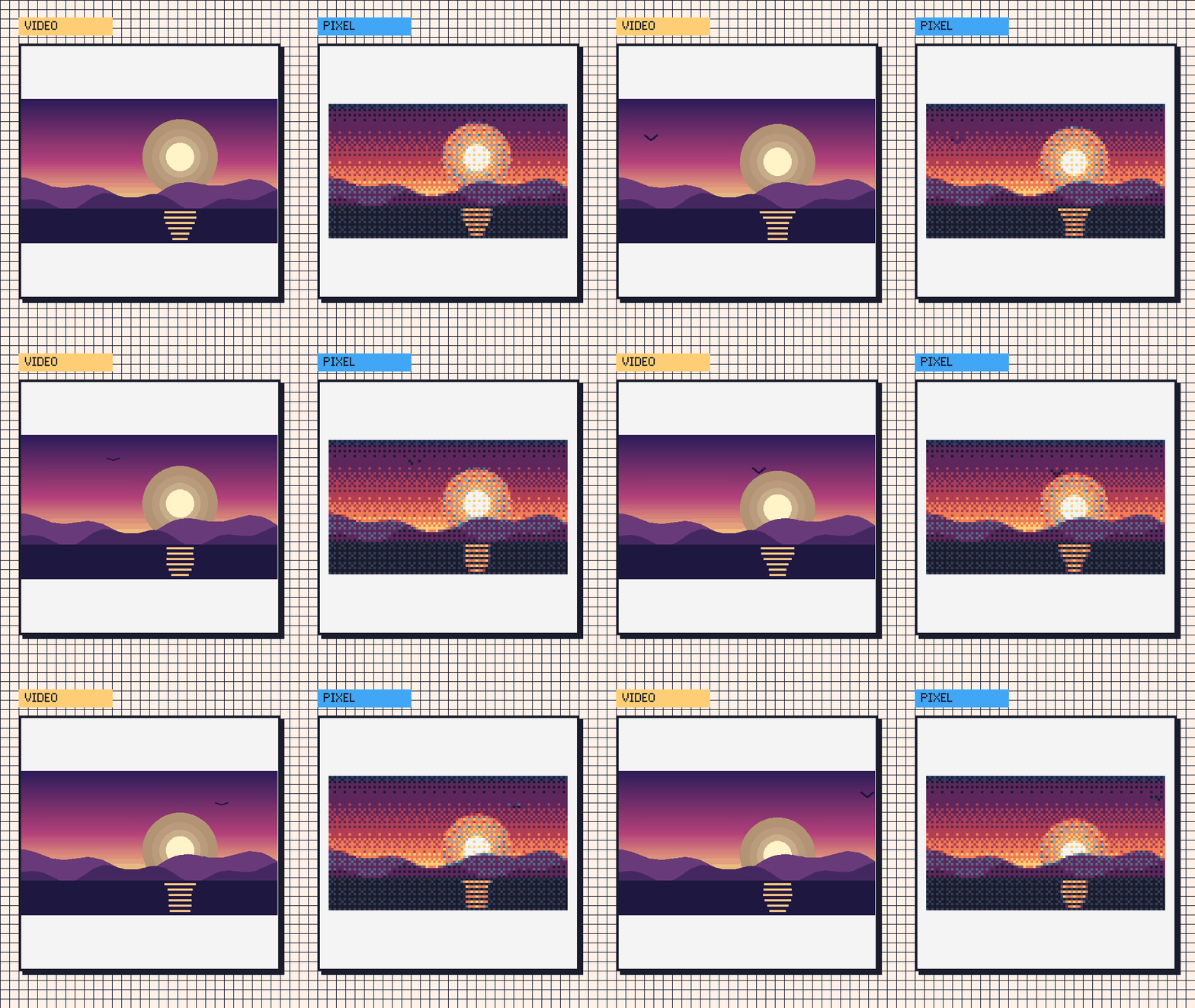
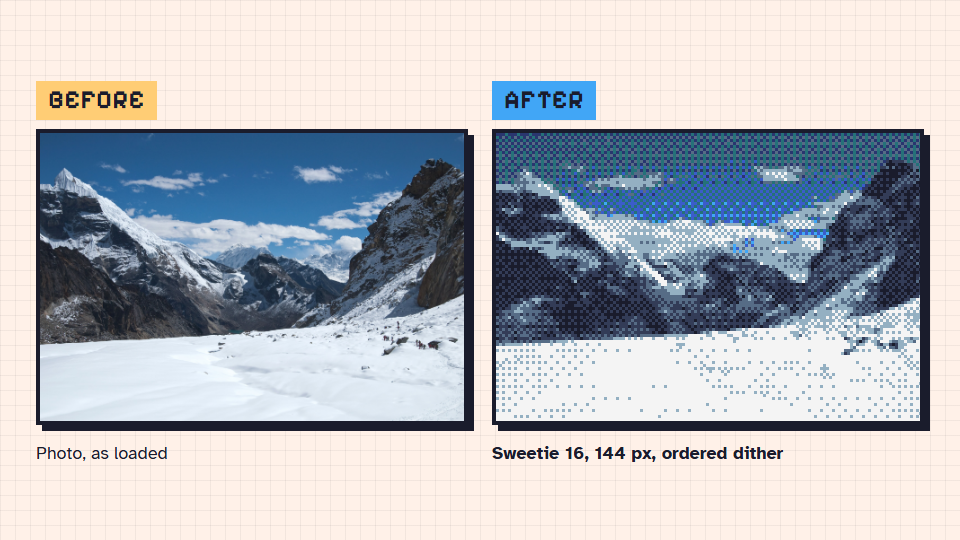
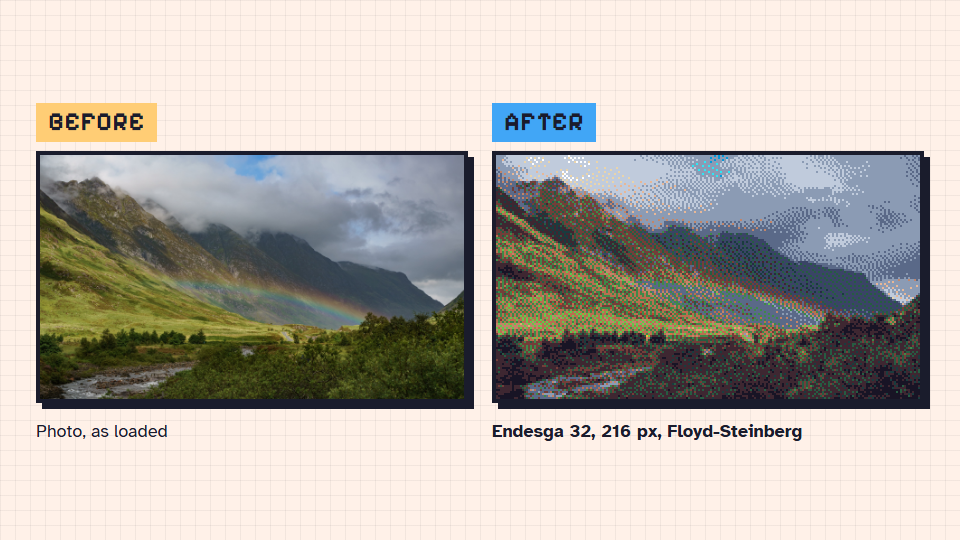
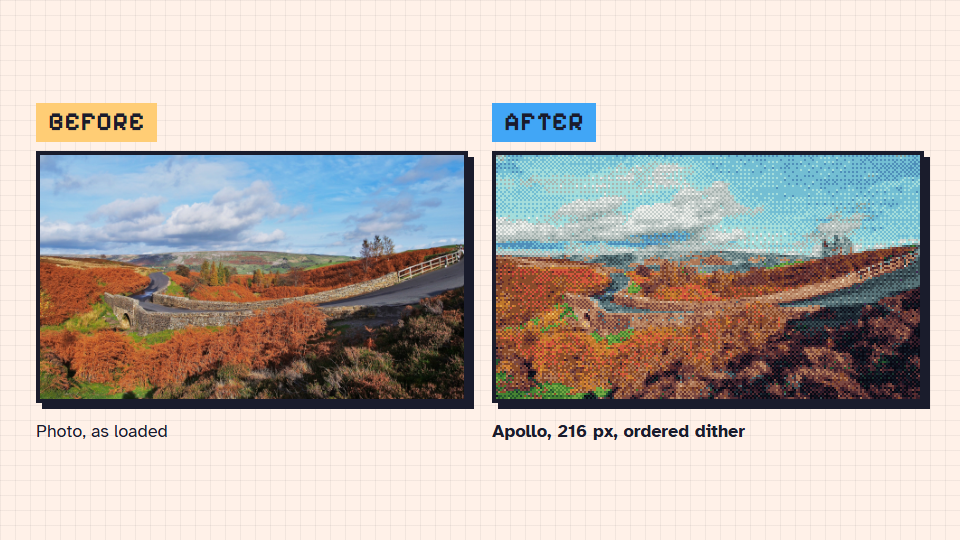
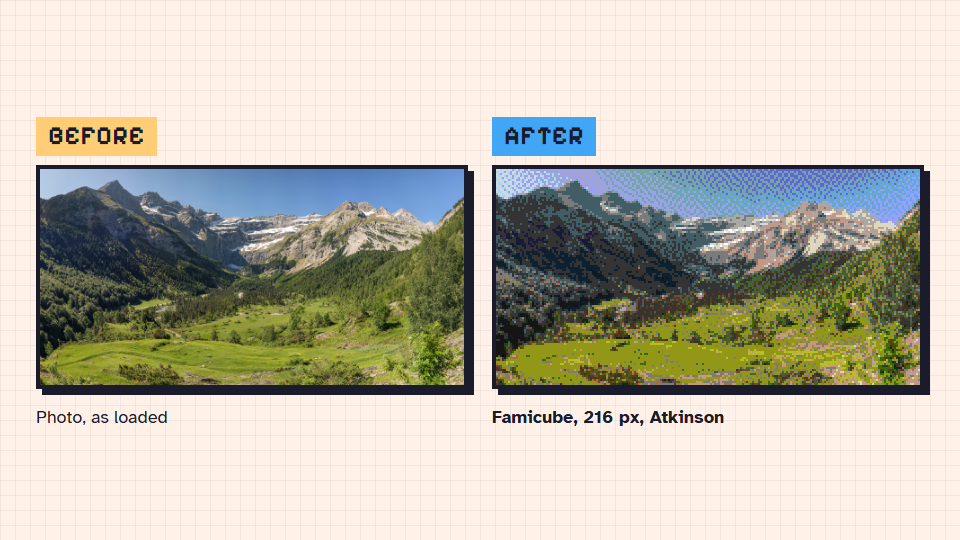
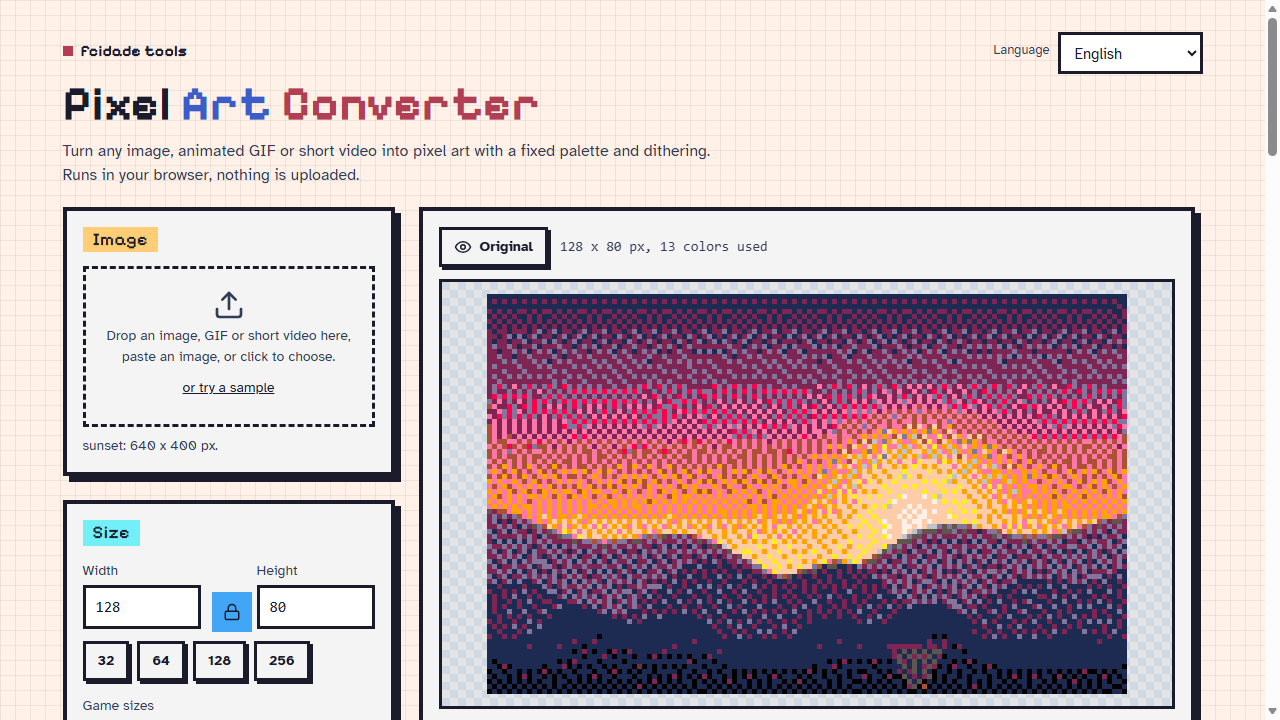
Pixel Art Converter turns an image, an animated GIF or a short video into pixel art with a fixed palette and dithering.
It runs right here in your browser. Your files never leave your computer.
Convert
- Images, GIFs and videos. Drop a file, paste an image, or pick a video and the part of it you want. Animated GIFs stay animated. A video becomes frames you can export as a GIF, a .zip of PNGs or a spritesheet.
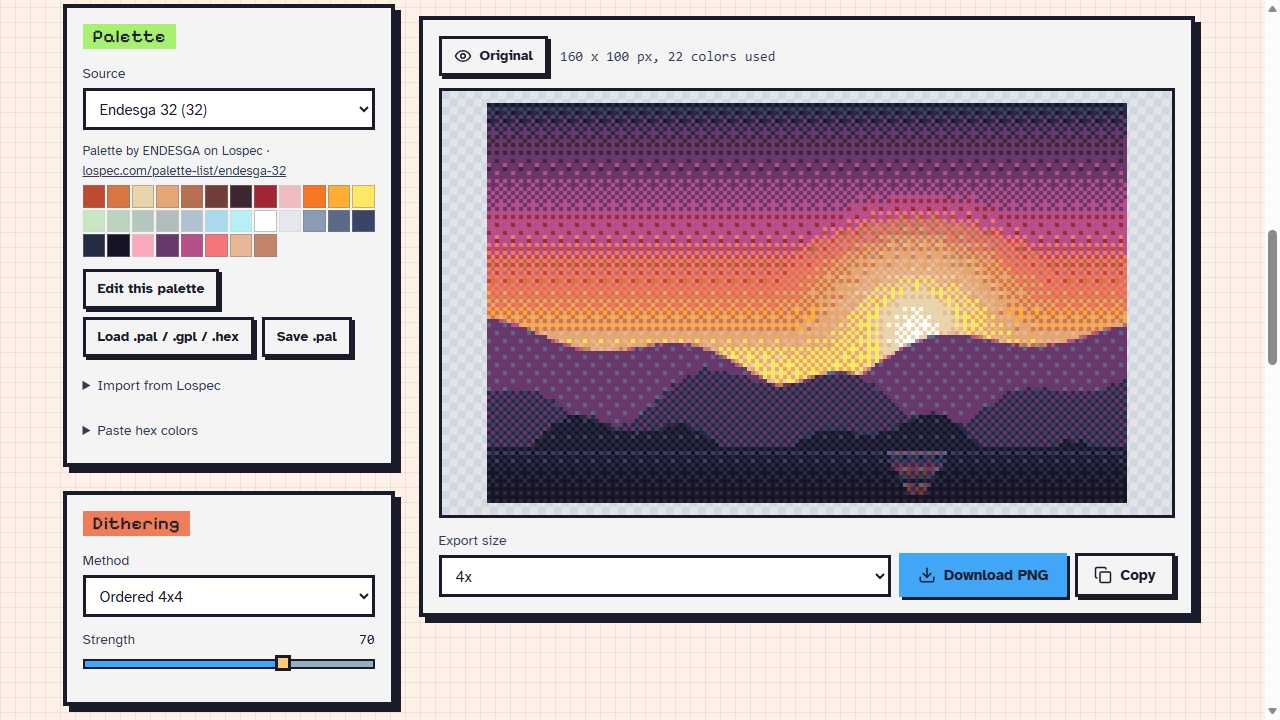
- Palettes. 13 classic ones (PICO-8, Game Boy, NES, C64, CGA/EGA, Sweetie 16 and more), 36 popular ones from Lospec built in with the author credited, any Lospec palette by name or link, your own .pal / .gpl / .hex, or a palette taken from the image. You can edit a palette and save it as .pal.
- Dithering. None, ordered 2x2, 4x4 and 8x8, Floyd-Steinberg and Atkinson, with a strength slider.
- Adjust brightness, contrast, saturation, gamma, sharpen or blur before the conversion.
- Export a PNG at 1x to 16x (nearest neighbor, so the pixels stay sharp), copy it to the clipboard, or convert a whole folder of images into one .zip. Presets are saved in your browser.
For game assets
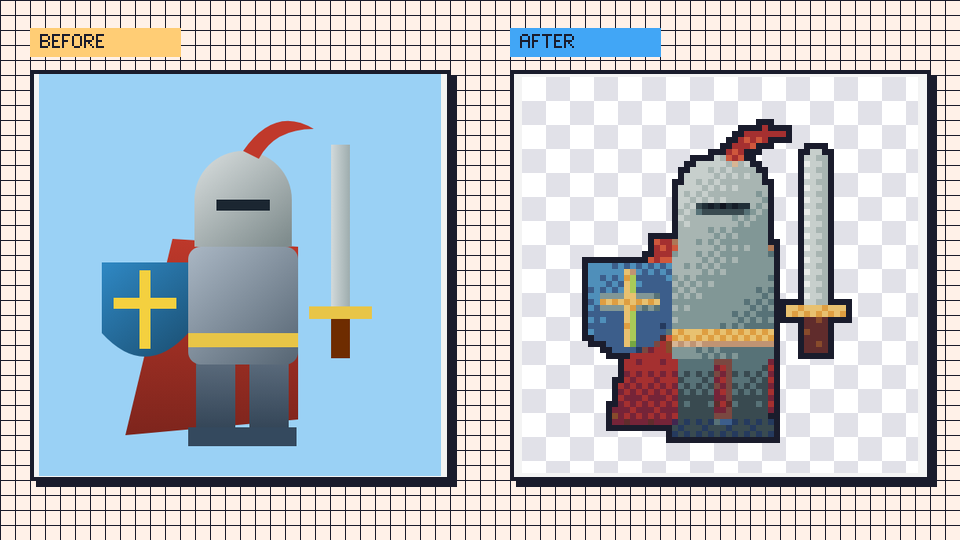
- Remove the background. The color comes from the edges of the image, or pick your own, with a tolerance slider. Remove only what touches the edges, or that color everywhere.
- Outline. 1 px, outside or inside, with or without diagonals.
- Game sizes. RPG Maker MV/MZ (tile, character, face, icon), 16 / 32 / 64 / 128, and the PICO-8, Game Boy, NES and GBA screens. Stretch the image, fit it inside with transparent bars, or fill and crop.
- Spritesheet. Frames from a GIF or a video go into one PNG, with a JSON file in the Aseprite hash format. Choose the columns and the gap.
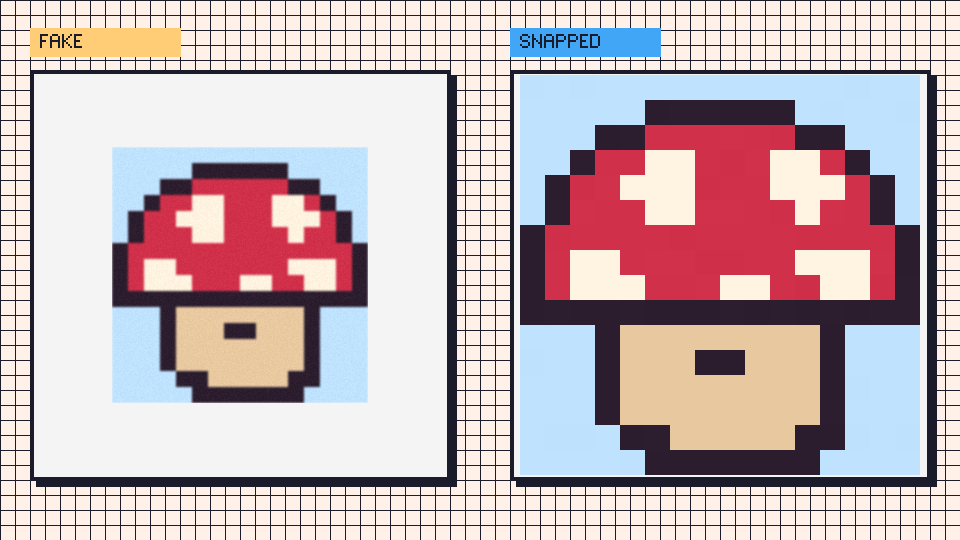
- Fix fake pixel art. For pixel art that was scaled up (or came out of an AI image generator): the tool finds the real pixel grid and snaps the image back to one color per block.
Extras
- Screen effects: scanlines, RGB mask and vignette.
- ASCII: copy the result as text or download a .txt.
- Languages: English, Portuguese, Spanish, French and German. Found a mistake in a translation? Leave a comment.
Good to know
- Screen effects go into the PNG, Copy and Frames, but not into the GIF (a GIF cannot hold the extra colors).
- Fix fake pixel art needs hard-edged blocks, like a nearest-neighbor upscale, even if it is blurry or noisy. A smooth (bilinear) upscale has no edges to find, and the tool says it found no grid.
- Videos: the browser has to be able to play the file. Up to 300 frames at a time, longest side 640 px.
- Output up to 1024 px wide or tall. Input up to 4096 px.
- Nothing is uploaded. The only request the tool makes is to lospec.com, when you import a palette by name.
Credits
The built-in palettes are from Lospec. Each one shows its author and a link when you pick it.
Need a pixel font for your game? My page has a few, and there is also a PICO-8 Font Converter.
Development log
- Pixel Art Converter v1.0 released22 hours ago
Comments
Log in with itch.io to leave a comment.
This Has to be The Best Image Converter I have Ever found On the INTERNET
It’s so great to read this! Thank you so much! If you ever need any new features, feel free to let me know
This is quite possibly the best pixel art converter ever...
Thank you! I am happy to read that :)
It's ideal for index painting things. If you're looking for suggestions for how to improve this, a small suggest I would have would be allowing users to define their own "background removal" parameters as well. Like stuff that on the inside of silhouette that the auto process would miss, maybe you can add an option to select the insides as well. (again if the converter works with png's or transparency anyway this is also just a minor feature.)